
Our Top Picks
 TRALT Office Chair Ergonomic Desk Chair with LumbarPack of 127.6 x 27.6 x 49.2 inches28 poundsCheck on Amazon
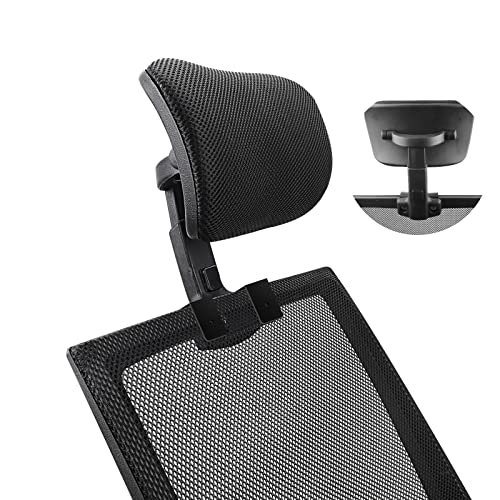

Most “ergonomic” chairs are sold on vibes. Mesh back, lumbar bump, a dozen levers, done. But if you’re actually dealing with neck or back pain, the chair matters a lot less than how it fits your body and your desk setup, and most people buy the wrong size entirely. A $900 chair adjusted wrong will hurt you just as fast as a $150 one.
Here’s what actually matters, in order: seat depth that matches your thigh length, lumbar support that hits your actual lower back (not a few inches above it), armrests you can get out of the way or adjust to your desk height, and recline tension you can control. Headrests matter for neck pain specifically, but only if they adjust far enough forward and up to meet your head without forcing your chin down.
Neck pain and back pain want different things
These get lumped together but the fixes aren’t identical. Back pain, especially lower back, is mostly about lumbar contact and pelvis position. If your lower back loses contact with the chair when you lean forward to type, you’re going to flex your spine for hours a day and that catches up with you.
Neck pain is usually a head position problem. People crane forward toward a monitor that’s too low or too far away, and no chair fixes that on its own. A headrest helps when you recline and need to rest your skull, but if you work upright and leaned forward all day, a headrest just sits there unused while your neck still hurts. In that case, fix monitor height first, then worry about the chair.
What to actually buy
For most people with intermittent lower back pain, a mid-range task chair with adjustable lumbar depth and seat depth is enough. You don’t need a $1,500 chair to get these features now; they’ve trickled down to the $200-$400 range. Browse ergonomic office chairs with adjustable lumbar support and prioritize ones where the lumbar piece slides up and down, not just in and out.
If neck pain is the main issue and you spend real time reclined (think reading, calls, thinking-work rather than typing), a headrest chair earns its keep. Look at office chairs with adjustable headrests and check that the headrest moves independently of the backrest angle. Fixed headrests that only move with recline tend to push your head forward instead of supporting it.
For chronic or diagnosed back issues (herniated disc, sciatica, post-surgery), it’s worth looking at chairs built specifically around spinal support rather than general “ergonomic” marketing. Search orthopedic office chairs for back pain and expect to pay more, but also expect a steeper learning curve on adjustment. These chairs are only as good as your setup, so measure your seat-to-floor height and thigh length before you buy, not after something feels wrong.
Comparing the three approaches
| Type | Price range | Best for | Where it falls short |
|---|---|---|---|
| Mid-range ergonomic task chair | $200-$450 | General desk work, mild to moderate lower back discomfort | Lumbar support is often one-size-fits-most; tall or short users may need to size up or down the line |
| Headrest-equipped chair | $300-$600 | Neck strain, people who recline often, long calls or reading | Useless if you work upright and leaned forward most of the day |
| Orthopedic/medical-grade chair | $500-$1,200+ | Diagnosed spinal conditions, chronic pain, post-injury recovery | Expensive, often firmer than people expect, needs careful fitting |
When the cheap chair is genuinely fine
If your pain is mild, shows up after long sessions rather than constantly, and you don’t have a diagnosed condition, you often don’t need to spend much. A $150-$200 mesh chair with a basic adjustable lumbar pad, paired with correct desk and monitor height, solves most of this. The expensive chairs earn their price through adjustment range and durability (gas cylinders and tilt mechanisms that don’t sag after a year), not through some special pain-curing geometry. If you sit six hours a day, five days a week, spend more. If it’s two hours a day, don’t.
Also worth saying plainly: a chair is not a substitute for moving. Chairs that promise to fix pain through sitting posture alone are selling you half the story. Fifteen seconds of standing every 30 minutes does more for most people’s lower back than another $300 of chair features.
Check your desk before blaming the chair
Before buying anything, sit in your current chair and check three things: do your feet rest flat with knees at roughly 90 degrees, is the top of your monitor at or slightly below eye level, and does your lower back touch the chair when your hands are on the keyboard. If any of those fail, a new chair might mask the symptom but won’t fix the cause. Desk height and monitor position cause more neck and back pain than chair choice does, and they’re free to fix with what you already own.
If you’ve already fixed desk and monitor height and you’re still hurting, that’s when a chair upgrade actually pays off, and you’ll know which of the three categories above fits your specific pain.









