Key takeaways
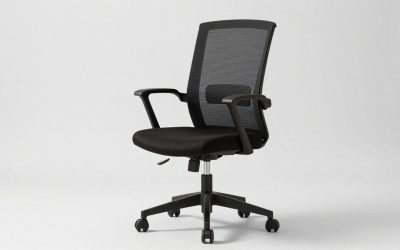
- Best Overall: QLTPLUS chair, 4-inch molded foam cushion, 350 lb, adjustable lumbar, flip-up arms, mesh back, 5-year warranty.
- Best Value: CASASIO chair, 3.5-inch cushion, 330 lb, 4-way lumbar, 3D headrest, 5-year warranty.
- Best With Footrest: ELABEST X100 mesh chair, footrest, 5D flip-up arms, 3D lumbar, big and tall.
- Best for Heavier Users: MAHOMICO 750 lb chair, wide thick seat, mesh back, 4D armrests.
- Best Wide Seat: Cloomey 500 lb chair, extra-wide seat, thick armrest pad.
- Best Mesh Big and Tall: DUMOS 500 lb mesh chair, 4D armrest, wide seat, 360 degree swivel.
The best desk chair for long hours in this guide is the QLTPLUS ergonomic chair, because its listing combines a 4-inch molded foam cushion, a 350 lb rating, adjustable lumbar, flip-up arms, a breathable mesh back, tilt and rock, a BIFMA listing and a 5-year warranty, and the runner-up is the CASASIO chair with a 3.5-inch cushion, 4-way lumbar and a 3D headrest. If you need a bigger frame or a footrest, the ELABEST X100 and the MAHOMICO 750 lb chair are the more generous options. This guide compares six chairs for people who sit through long workdays and explains what to look for in a desk chair for long hours: seat padding, depth, lumbar range, arms and warranty.
We did not personally use these products. This guide is research-based, built from product listing details, manufacturer pages and workplace ergonomics guidance named at the end. Where a detail could not be confirmed, we write “not listed”. A chair makes long sitting more comfortable, it does not make prolonged sitting healthy, and it cannot treat pain. If you have discomfort that persists, see a doctor or physical therapist.
Quick Answer: What to Look For in a Desk Chair for Long Hours
For a desk chair for long hours, prioritize four things: a seat cushion of about 3.5 to 4 inches, adjustable lumbar support, a seat wide and deep enough for your frame, and a warranty of several years. In this guide the QLTPLUS has the thickest seat, the CASASIO adds a headrest, and the MAHOMICO 750 lb is the option for the heaviest users. Whatever you buy, stand up or walk every 30 to 60 minutes.
Top Picks at a Glance
- Best Overall: QLTPLUS chair, 4-inch molded foam cushion, 350 lb, adjustable lumbar, flip-up arms, mesh back, 5-year warranty.
- Best Value: CASASIO chair, 3.5-inch cushion, 330 lb, 4-way lumbar, 3D headrest, 5-year warranty.
- Best With Footrest: ELABEST X100 mesh chair, footrest, 5D flip-up arms, 3D lumbar, big and tall.
- Best for Heavier Users: MAHOMICO 750 lb chair, wide thick seat, mesh back, 4D armrests.
- Best Wide Seat: Cloomey 500 lb chair, extra-wide seat, thick armrest pad.
- Best Mesh Big and Tall: DUMOS 500 lb mesh chair, 4D armrest, wide seat, 360 degree swivel.
Comparison Table
| Product | Best for | Key specs | Watch for | Price tier |
|---|---|---|---|---|
| QLTPLUS 4-Inch Foam | 8-hour workdays | 4 in molded foam, 350 lb, adjustable lumbar, flip-up arms, 5-year warranty | Two near-identical listings exist | Mid-range |
| CASASIO 3.5-Inch | Cushioned comfort | 3.5 in cushion, 330 lb, 4-way lumbar, 3D headrest, 5-year warranty | Check seat depth | Mid-range |
| ELABEST X100 | Leg rest while reclined | Footrest, 5D flip-up arms, 3D lumbar, big and tall | Footrest adds length | Premium |
| MAHOMICO 750 lb | Heaviest users | 750 lb, wide thick seat, 4D arms, adjustable lumbar | Newer brand | Mid-range |
| Cloomey 500 lb | Wide frames | 500 lb, extra-wide seat, thick armrest pad | Large footprint | Mid-range |
| DUMOS 500 lb Mesh | Mesh and wide seat | 500 lb, 4D armrest, lumbar, wide seat, 360 swivel | Fewer details in title | Mid-range |
What Changes When You Sit for Eight Hours
Sitting for an hour and sitting for eight are different problems. For short periods almost any chair is fine. Over long hours, three things start to matter: the padding, because thin foam bottoms out and pressure builds under the sit bones; the adjustability, because you need to change position as you tire; and the airflow, because heat and moisture build up on a seat that does not breathe.
The most useful ergonomics advice is not a product at all: vary your posture and take breaks. Many workplace guides suggest standing or walking for a few minutes every 30 to 60 minutes. The chair’s job is to make each position comfortable and to allow changes between them.
1. QLTPLUS Ergonomic Chair: Best Overall
- 4-inch molded foam cushion
- 350 lb rating
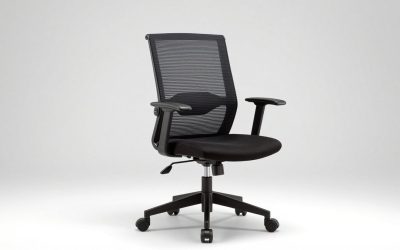
- Adjustable lumbar, flip-up arms, breathable mesh back
- Tilt and rock, BIFMA listing, 5-year warranty
Best for: people with full workdays at a desk who want a thick seat and a long warranty. Skip if: you need a headrest, since the title does not mention one.
A 4-inch molded foam cushion is thick for this price range. Molded foam, as opposed to cut foam, holds its shape and tends to resist flattening. The listing also states a 5-year warranty and 24/7 support, which for a long-hours chair is a meaningful signal because the seat is the first thing to wear.
The mesh back keeps your back cool, while the seat remains padded. That combination avoids the sweaty back of a leatherette chair and the hard seat of a thin mesh seat. Adjustable lumbar and flip-up arms complete the set.
Note that two listings with near-identical titles exist, so compare the product page details rather than the headline.
Pros
- Thick molded seat
- Long warranty
- Mesh back
- Flip-up arms
Cons
- No headrest listed
- Duplicate-looking listings
2. CASASIO Chair: Best Value Cushioned Pick
- 3.5-inch thick cushion
- 330 lb capacity
- 4-way lumbar and 3D headrest
- Flip-up arms, mesh back, tilt and rock, 5-year warranty
Best for: people who want a headrest and a very adjustable lumbar. Skip if: you want the thickest seat.
A 4-way lumbar can usually move up, down, in and out, so you can set both height and depth of support. The 3D headrest supports the neck when you lean back. These two features make this chair a good all-day option for people who switch between upright typing and reclined thinking.
It states a title that targets long hours and back discomfort. Treat that as marketing and judge the chair on its features.
Pros
- Headrest and 4-way lumbar
- Thick cushion
- Long warranty
Cons
- Slightly thinner seat than QLTPLUS
- Many adjustments
3. ELABEST X100: Best With Footrest
- Ergonomic mesh chair with footrest
- Big and tall design
- 5D flip-up arms and adjustable 3D lumbar
- Listed as gaming and executive computer chair
Best for: people who like to stretch out between tasks. Skip if: you have a small room or want a compact chair.
A built-in footrest lets you lift your legs while reclined, which changes your posture and reduces pressure under the thighs. It does lengthen the chair when extended, so allow space.
The 5D armrests move in more directions than the common 3D or 4D designs, which helps if you share the chair or move between a keyboard and a notebook. Listings show both a footrest and a big-and-tall build, so confirm weight limit on the product page.
Pros
- Footrest
- 5D arms
- Lumbar adjustment
Cons
- Large when extended
- Weight limit not in the title
4. MAHOMICO 750 lb Chair: Best for Heavier Users
- 750 lb capacity on the listing
- Wide, thick seat cushion
- Mesh back, 4D armrests
- Adjustable lumbar support, for 8-hour daily work
Best for: heavier users who struggle to find a chair rated high enough. Skip if: you want a long-established brand.
A 750 lb rating is rare, and for people who need it there are few alternatives. A wide seat avoids edge pressure and allows more freedom to shift position. Mesh helps with heat.
Because capacities of this size are best verified, read the product page for the maker’s stated standard and warranty, and keep the chair on a hard, level surface.
Pros
- Very high capacity
- Wide thick seat
- Mesh back
Cons
- Newer brand
- Bulky
5. Cloomey 500 lb Chair: Best Wide Seat
- 500 lb capacity
- Extra-wide seat, thick armrest pad
- Adjustable lumbar support
- Heavy-duty base and upgraded wheels
Best for: larger frames who want padded arms. Skip if: your desk is narrow.
Thick armrest pads reduce pressure on the forearms when you lean on them for hours. The heavy-duty base and wheels are designed for higher loads and are a sign the chair is built for heavier users.
The executive style is bulkier than a mesh task chair, so allow clearance.
Pros
- Wide seat
- Padded arms
- Heavy-duty base
Cons
- Large
- Less breathable than mesh
6. DUMOS 500 lb Mesh Chair: Best Mesh Big and Tall
- 500 lb mesh chair
- Ergonomic 4D armrest and lumbar support
- Wide seat, 360 degree swivel rolling wheels
- Listed for adults
Best for: bigger users who prefer mesh. Skip if: you want a headrest or footrest.
Mesh avoids the heat of a thick leatherette seat and the 500 lb rating covers a wide range. The 4D armrest and wide seat are the main comfort features. As with other chairs, read the product page for seat depth.
Pros
- Mesh back
- 500 lb listing
- 4D arms
Cons
- No headrest listed
- Fewer details in title
Also Consider
- Marsail Ergonomic Mesh Chair: a high-back chair with adjustable lumbar, 3D armrests and headrest.
- GTPLAYER Big and Tall Gaming Chair: a 400 lb chair with footrest and pocket spring lumbar support.
- COMHOMA Big and Tall Chair: a leather-style chair with footrest, 145 degree recline and pocket spring back.
Who Each Long-Hours Desk Chair Is For
Use these profiles to match a chair to your day rather than to a feature list.
The full-time remote worker with an 8-hour desk day
Choose the QLTPLUS Ergonomic Chair. Its 4 inch molded foam seat, adjustable lumbar, mesh back and 5-year warranty fit a daily routine. Skip it if you need a headrest.
The person who leans back to think or take calls
Choose the CASASIO Chair. Its 4-way lumbar and 3D headrest support an upright and a reclined posture, with a 3.5 inch cushion and 330 lb rating. Skip it if you want the thickest seat.
The person who likes to stretch their legs between tasks
Choose the ELABEST X100. The footrest and 5D flip-up arms suit shifting positions. Skip it if your room is small, since the footrest lengthens the chair.
The heavier user who needs a high rating
Choose the MAHOMICO 750 lb chair for its 750 lb listing, wide thick seat and 4D armrests. Skip it if you want a long-established brand.
The larger frame that wants padded arms
Choose the Cloomey 500 lb Chair. It has an extra-wide seat, thick armrest pads and a heavy-duty base. Skip it if your desk is narrow or you want a mesh seat.
The big-and-tall user who prefers mesh
Choose the DUMOS 500 lb Mesh Chair, with 4D armrests, a wide seat and 360 degree swivel. Skip it if you need a headrest or footrest.
How We Chose
We shortlisted chairs whose listings emphasize long-hours use, then compared seat padding, lumbar adjustment, arms, capacity and warranty. We also read ergonomics guidance from workplace safety agencies. We did not personally use any of these chairs, so we do not publish comfort or durability scores of our own. Specs not stated are marked “not listed”. We included heavier-capacity chairs because many long-hours chairs are rated for lower weights.
How to Set Up Your Chair for an 8-Hour Day
Even the best desk chair for long hours works poorly if it is not adjusted. Spend ten minutes on this setup when the chair arrives, and revisit it after a week.
- Seat height. Sit with your feet flat on the floor and your knees at about the same height as your hips, or slightly lower. If your feet dangle, use a footrest; the ELABEST X100 has one built in.
- Seat depth. Leave a gap of about two to three fingers between the front of the seat and the back of your knees. If the seat cannot slide, a shallower or deeper model may fit better.
- Lumbar support. Place the lumbar pad at the curve of your lower back. On a 4-way system, such as the CASASIO, set height first, then depth.
- Armrests. Raise the arms so your elbows rest at roughly 90 degrees and your shoulders stay relaxed. Flip-up arms let you slide closer to the desk when typing.
- Backrest tilt. Set the tilt tension so the chair supports you when you lean back by a small amount without flipping you forward.
- Headrest. Adjust it to support the base of the skull when leaning back, not to push your head forward.
Test the setup by working for an hour. If your shoulders rise, lower the desk or raise the chair and arms together. If your lower back slumps by mid-afternoon, move the lumbar pad up or in a little.
Foam, Mesh and Executive-Style Seats Compared
The materials on a long-hours chair change how it feels at hour six more than at minute one. This comparison uses the chairs in this guide as examples.
| Design | Strengths | Trade-offs | Examples here |
|---|---|---|---|
| Mesh back with thick foam seat | Cool back, padded seat | Mesh can feel firm and the seat can warm up | QLTPLUS, CASASIO |
| Full mesh with wide seat | Airflow, good for warm rooms | Less cushioning under the thighs | DUMOS 500 lb, MAHOMICO 750 lb |
| Executive-style padded | Plush, thick arm pads | Bulkier, less breathable | Cloomey 500 lb |
| Mesh with footrest | Lets you change leg position | Longer footprint when extended | ELABEST X100 |
For most people sitting a full workday, the mesh-back-with-padded-seat design is the safest starting point. If your room runs hot, lean toward full mesh. If you value a soft armrest and a roomy seat over airflow, an executive style is reasonable.
Whichever you choose, the listing details are the limit of what we can state; we did not personally use these chairs, so look for feedback from buyers who sit as many hours as you do.
Buying Guide
Seat padding thickness
Thin foam compresses within hours. Look for 3 to 4 inches of molded foam or a seat that states high density. A seat that is too soft will lose shape; too hard will cause pressure.
Seat depth and width
You need two to three fingers of space between the seat edge and the back of the knee. Wide seats suit larger frames but need desk clearance.
Lumbar range
Adjustable lumbar should move up, down and ideally in and out. Set it at the curve of your lower back.
Arms and headrest
Adjustable arms let you relax shoulders; flip-up arms let you tuck in. A headrest helps when you recline.
Warranty
A 5-year warranty on a chair signals confidence in the mechanism. Read what it covers.
Breaks matter more than the chair
Whatever you buy, stand and move regularly.
Weight Rating and Fit Thresholds for Long-Hours Chairs
Fit is where many long-hours chairs fail. These thresholds help you read a listing critically.
- Weight rating: choose a rating comfortably above your weight rather than right at it. The QLTPLUS lists 350 lb, the CASASIO 330 lb, the Cloomey and DUMOS 500 lb and the MAHOMICO 750 lb.
- Seat cushion: 3.5 to 4 inches is a good range for full days. Thin padding bottoms out and pressure builds under the sit bones.
- Seat width: if a listing says wide or extra-wide but gives no number, look at the product page for the dimension. Compare it with the width of your hips plus a few inches.
- Arm pads: padded armrests such as the Cloomey help if you lean on your forearms, but check that the arms slide under your desk.
- Mesh versus foam: mesh runs cooler, while thick foam or leatherette is plusher but warmer. A mesh back with a padded seat, as on the QLTPLUS, is a common compromise.
- Warranty: a stated warranty of several years signals that the seat and gas lift are expected to last. Where a warranty is not listed, treat it as unknown.
- Floor: on hard floors, check that the casters are rated for them, or use a mat to protect the surface and avoid sliding.
If two chairs seem equal, pick the one with the better documented weight rating and warranty, because those are the facts a maker can be held to.
Desk and Monitor Setup That Goes With the Chair
A chair is only one part of a comfortable long-hours workstation. The setup around it decides whether the chair can do its job.
- Monitor height: place the top of the screen at or slightly below eye level, so you look slightly down instead of tilting your head up.
- Monitor distance: about an arm’s length away is a common starting point for a standard desk monitor.
- Keyboard and mouse: keep them close enough that your elbows stay near your sides, with wrists neutral.
- Desk height: a standard desk is around 29 to 30 inches tall. If you are short, raise the chair and use a footrest; if you are tall, a desk riser may help.
- Laptops: use a stand with a separate keyboard so the screen can sit higher.
- Lighting: put the screen at a right angle to windows to cut glare.
These are general workplace ergonomics guidelines, not medical advice. If you have recurring pain or numbness, see a doctor or physical therapist.
Common Mistakes to Avoid
- Choosing a chair for looks over seat depth
- Ignoring weight capacity
- Leaving the lumbar too high
- Sitting rigidly for hours
- Skipping the warranty details
Signs Your Current Chair Is Failing
You may not need a new chair as quickly as you think, but some signs say it is time to replace the one you have.
- The seat foam has flattened and you feel the base through the cushion.
- The chair slowly sinks while you sit, which usually means the gas lift is worn.
- The backrest will not hold its tilt or wobbles at the joints.
- Your lower back aches by mid-afternoon every day even after you adjust the lumbar.
- The armrests are loose or cracked, or the casters no longer roll straight.
Any of these, especially a sinking seat or a wobbly base, is also a safety issue. If a replacement is the answer, use the buying guide above and look for a long warranty, a clear weight rating and a seat that suits your body size.
More Questions About Desk Chairs for Long Hours
How long should a desk chair last for daily use?
Many office chairs are expected to last several years of daily use, but it depends on the foam, the gas lift and the load. A long stated warranty, like the 5 years listed for the QLTPLUS and CASASIO, is a useful sign, though not a promise.
Is a footrest worth having?
It helps if your feet do not reach the floor or you like to recline. It adds length to the chair, so measure your space. The ELABEST X100 is the footrest option here.
What is the difference between 3D, 4D and 5D armrests?
The number refers to how many directions the arm can adjust, such as height, depth, angle and pivot. More directions give finer fit, but they also add parts that can loosen over time.
Should I get a chair with a headrest?
Choose one if you often lean back during calls or reading. If you sit upright most of the day, it matters less. The CASASIO has a 3D headrest, while the QLTPLUS does not list one.
Will a better chair fix my back pain?
Not by itself. A well-fitted chair can make sitting more comfortable, but changing posture and moving often matter as much. See a doctor if pain is persistent.
Can I use a big-and-tall chair if I am average size?
Yes, though a very wide seat may leave you unsupported and the arms too far apart. Try a standard-width model unless you have a clear need for a bigger frame.
Assembly and First-Week Checklist
A few simple checks in the first week catch most problems with a new desk chair for long hours.
- Unpack and count parts. Lay out the hardware before you start. Missing or damaged parts are easiest to sort out right away.
- Tighten fasteners after a few days. Bolts can settle after first use. Check the seat plate and the armrests.
- Confirm the weight rating on the product page. Make sure it matches the figure you were relying on, especially for the 500 lb and 750 lb chairs.
- Test every adjustment. Raise and lower the seat, move the lumbar, flip the arms, and use tilt and rock. A control that does not work is a reason to contact the seller early.
- Set a break reminder. Use a phone timer to stand up every 30 to 60 minutes. Even the most adjustable chair cannot replace movement.
- Keep the paperwork. Save your receipt and warranty details, since a 5-year warranty only helps if you can prove the purchase.
Frequently Asked Questions
What is the best desk chair for long hours?
The QLTPLUS chair is our top pick for its 4-inch molded foam cushion, adjustable lumbar and 5-year warranty.
How thick should the seat cushion be?
Around 3 to 4 inches of dense or molded foam is a good range for full days.
Is mesh or foam better for long hours?
A mesh back with a padded seat gives airflow and comfort. All-mesh seats can feel firm over time.
Do I need a headrest?
It helps if you often recline. If you type upright most of the day, it matters less.
How often should I get up?
Many ergonomics guides suggest every 30 to 60 minutes.
Can a chair help with pain from sitting?
It may improve comfort, but it does not treat pain. See a doctor for persistent pain.
What weight rating should I look for?
Choose a chair rated well above your weight. Standard chairs list 250 to 350 lb, while heavy-duty chairs list 400 lb or more.
Which One Should You Buy?
- Choose the QLTPLUS for the thickest seat and warranty.
- Choose the CASASIO for a headrest and 4-way lumbar.
- Choose the ELABEST X100 for a footrest.
- Choose the MAHOMICO for the highest capacity.
- Choose the Cloomey for a wide seat and padded arms.
- Choose the DUMOS for a mesh big-and-tall chair.
Sources
- US OSHA computer workstation ergonomics guidance
- Canadian Centre for Occupational Health and Safety office chair guidance
- BIFMA X5.1 standard summary
- Manufacturer product pages for the chairs named above
Last updated: October 2026