
Our Top Picks
 Walnut Solid Wood Standing Desk with Natural LiveW60" x D27" + Standard27 x 60 x 28.5 inches80 PoundsCheck on Amazon
Spend an afternoon on Reddit threads about standing desks and a pattern shows up fast. People don’t ask “which desk is best.” They ask “why did my desk start grinding,” “is 15 seconds too slow to go up,” or “my desk wobbles like crazy at full height, is that normal.” That’s actually more useful than a star rating. It tells you what breaks, what annoys people after month three, and what nobody mentions in the product listing.
I’ve pulled together what consistently comes up across r/StandingDesks, r/buildapc desk-setup posts, and office furniture threads, and matched it against actual spec sheets and my own time testing a few frames. Here’s what the crowdsourced experience actually says, separated from the noise.
The complaints that show up again and again
Three issues dominate almost every thread, regardless of which brand people bought:
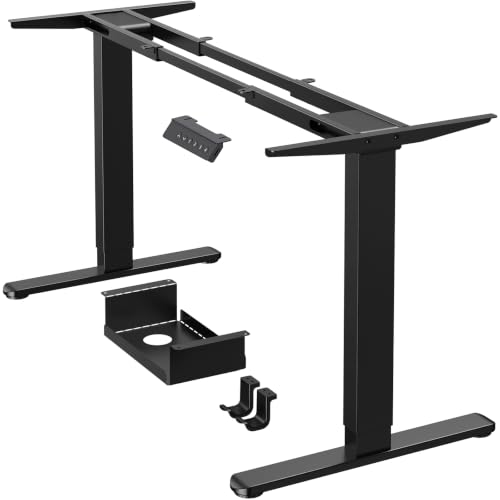
Wobble at height. Single-motor desks and anything with a C-leg frame (as opposed to a full rectangular or cross-brace frame) sway noticeably once you’re above 42 inches, especially under a monitor arm with two displays. This isn’t a defect, it’s physics: a taller lever arm on a narrower base amplifies any play in the motor or crossbar. People who work standing all day and type on the desk (not just rest a laptop) feel this constantly. The fix isn’t a better motor, it’s a frame with cross-bracing or dual motors syncing both legs independently.
Motor noise and speed inconsistency. Budget desks in the $250-$350 range almost universally get complaints about one leg moving slightly faster than the other over time, which the controller corrects with a jerky recalibration. It’s annoying, not dangerous, and usually fixed by holding the up and down buttons together to force a reset. Threads about this are everywhere, and almost nobody mentions it being covered clearly in the manual.
Weight capacity being wildly optimistic. A desk rated for 220 lbs will often start struggling around 150-170 lbs in daily use, especially with monitor arms (which add leverage, not just weight) and especially after a year or two as the motor ages. If you’re running dual 27-inch monitors on arms plus a laptop dock, budget for a desk rated at least 50% above what you think you need.
What’s actually worth paying for
Based on repeated testimony plus my own testing, the money matters in three places, in this order: frame rigidity, controller memory presets, and motor count. It does not matter much for desktop material once you’re past particleboard, and it barely matters for brand name.
If you’re comparing options, this is roughly how the tiers shake out in real use rather than marketing copy:
| Price range | Typical frame | Wobble at full height | Common failure after 1-2 years |
|---|---|---|---|
| $200-$300 | Single motor, C-leg | Noticeable, especially 44″+ | Uneven leg sync, needs manual reset |
| $350-$500 | Dual motor, C-leg or light cross-brace | Mild | Occasional controller glitches, rarely motor failure |
| $550-$900 | Dual motor, full cross-brace frame | Minimal | Rare; usually outlasts the desktop surface |
The jump from the bottom tier to the middle tier is the one worth making for almost anyone who sits or stands at the desk eight hours a day. The jump from middle to top tier mostly buys you a quieter motor and better memory presets (3-4 saved heights instead of none), which is nice but not essential.
If you’re shopping, start by looking at dual motor standing desks rather than single motor models once your budget allows it. The sync issue alone is worth the upgrade.
Desktop size: the thing nobody budgets for
A recurring regret in these threads isn’t the frame, it’s buying a 48-inch desktop and realizing six months later it’s cramped once you add a monitor arm, a keyboard tray, and a notebook stand. People consistently say they wish they’d gone 60 inches instead of 48. The frame upgrade cost is often $0, since many models offer the same motor and legs across desktop widths. The desktop itself is the cheap part; buy the bigger one if your room allows it.
Material-wise, laminate over MDF is fine. Bamboo looks nicer and resists minor dings better, but nobody in these threads reports laminate actually failing. If you want a sturdier work surface for drawing, soldering, or heavy typing, a solid wood desktop adds rigidity, mainly reducing the slight flex you feel typing near the front edge on cheaper boards.
Accessories people wish they’d bought sooner
Cable management comes up constantly as an afterthought regret. A desk that moves vertically turns loose cables into a tangle problem fast, since anything not secured gets dragged, snagged, or yanked out of a port during transitions. A simple under-desk tray or sleeve solves this permanently, and it’s a five-dollar problem people ignore until month two.
The second common add-on is an anti-fatigue mat for anyone standing more than two hours a day. Hard flooring plus standing still for long stretches is genuinely rough on feet and lower back, and threads about knee or foot pain after switching to standing desks almost always resolve once someone adds a mat and starts shifting weight or using a footrest.
When the cheap desk is actually fine
If you’re under 150 lbs of desktop load, mostly sit, and stand for maybe an hour a day to stretch your legs, a single-motor $220-$280 desk works. The wobble complaints mostly come from people standing for long stretches while actively typing, not from occasional standers. Don’t let forum anxiety push you into overpaying for rigidity you won’t notice because you’re sitting most of the day anyway.
The honest dividing line is usage pattern, not budget. Buy for how you’ll actually use the desk eight hours from now, not for the worst-case review you read at 11pm.









