
Our Top Picks
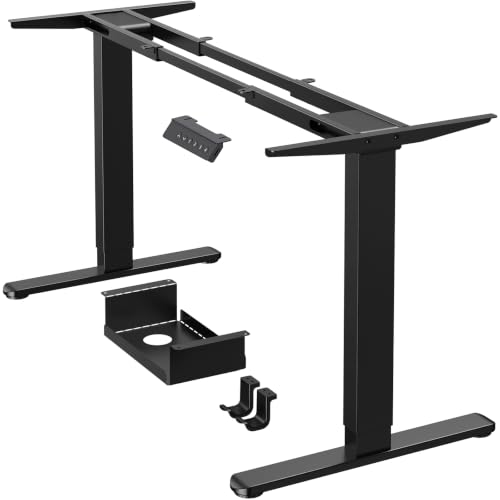
 HUANUO Standing Desk Frame with Brushless Motor for2-stage25.2 x 41.73 x 28.35 Inches30.2 poundsCheck on Amazon
What You’re Actually Buying
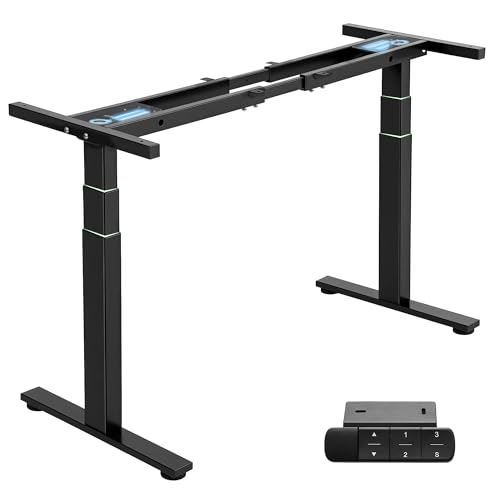
An adjustable desk base is the motor, legs, and control box. It’s not the desktop. If you already have a slab of wood or a desktop you like, a base is the cheaper way into sit-stand without replacing furniture. Prices run from about $200 for a bare-bones single-motor frame to $700+ for dual-motor commercial-grade bases with memory presets and anti-collision sensors. The gap between cheap and good is mostly about speed, weight capacity, and how long the motor lasts under daily use, not about features you’ll notice every day.
Single Motor vs Dual Motor
Single-motor bases drive both legs through a crossbar. They’re fine for desktops under 48 inches and loads under 150 lbs, but on wider desks you’ll feel a slight wobble or lag as the crossbar twists under load. Dual-motor bases drive each leg independently and sync electronically. They cost roughly $100-150 more but handle wider desktops (60-72 inches) without racking, and they lift heavier loads more evenly. If your desktop is 55 inches or longer, or you’re putting two monitors on an arm plus a PC on the desk, pay for dual motor. Anything smaller and lighter, single motor is genuinely fine and you’re not missing much.
Weight Capacity and Speed
Capacity ratings are usually measured with the desktop centered and evenly loaded. Real-world capacity is lower once you add a monitor arm hanging off one side or a PC tower on one leg, because that’s an off-center load that stresses one motor more than the other. A base rated for 220 lbs should comfortably handle a desktop plus two monitors, a laptop, and a small printer, but if you’re mounting three monitors on arms, look for 275+ lbs rated capacity.
Speed matters more than people expect. Cheap bases move at 1 inch per second, which means a 20-inch height change takes 20 seconds, standing there waiting. Better bases hit 1.5-1.6 inches per second. It sounds trivial until you’re switching positions five times a day and losing two extra minutes to standing around holding your coffee.
Controller Features Worth Paying For
Height memory presets (usually 2-4 programmable positions) are worth having. Without them you’re eyeballing the same seated and standing height every time, and you will drift a few inches off over weeks without noticing. Anti-collision detection, which stops the desk if it hits something, is worth it if you work around shelving, a wall, or kids and pets. It’s not worth paying extra for app connectivity or usage tracking stats unless you’re genuinely motivated by that kind of data, most people check it twice and ignore it after.
Failure Modes to Know About
The most common failure isn’t the motor burning out, it’s the controller losing calibration after a power cut or being unplugged, causing the desk to stop responding to presets or move unevenly. Most bases have a reset procedure (usually holding the up/down buttons together for several seconds) and it’s worth knowing before you need it. The second common issue is legs that develop play or wobble after a year or two of heavy use, usually in cheaper single-motor units where the telescoping tubes have more tolerance. If you’re buying a budget base, expect a slight wobble at full height eventually; it’s cosmetic and annoying, not dangerous, but it will bother you if you type while standing.
Also check desktop thickness compatibility. Most bases clamp to desktops 1-1.5 inches thick. If you’re mounting a thick butcher-block or a custom slab over 1.5 inches, verify the bracket depth before ordering, because this is the most common return reason.
Comparison: What Matters at Each Price Point
| Price Range | Motor Type | Typical Capacity | Typical Speed | Good For |
|---|---|---|---|---|
| $200-280 | Single | 150-175 lbs | ~1 in/sec | Desktops under 48″, light loads, occasional standers |
| $280-450 | Dual | 200-275 lbs | 1.2-1.5 in/sec | Desktops 48-66″, dual monitors, daily sit-stand users |
| $450-700+ | Dual, reinforced | 275-350+ lbs | 1.5-1.6 in/sec | Wide desktops, heavy multi-monitor setups, commercial/shared use |
What to Actually Buy
If you’re outfitting a home office with a standard 48-55 inch desktop and normal monitor setup, a mid-range dual-motor base is the sweet spot, you get the stability and speed without paying for commercial-grade capacity you won’t use. Browse dual-motor standing desk frames and filter by desktop width compatibility before anything else, since that’s the spec people get wrong most often.
If your budget is tight and your desktop is small, don’t feel like you’re settling by buying a single-motor standing desk frame. It’ll do the job for years as long as you’re not loading it unevenly or asking it to lift a 60-inch slab.
For anyone running a heavier setup, like a workstation with three monitors or a dense CAD rig, it’s worth looking at heavy-duty standing desk bases rated above 275 lbs, since undersized bases are where you see premature motor wear and uneven lifting.
Whatever you land on, measure your desktop’s width and thickness before you shop. Those two numbers eliminate more wrong purchases than any spec sheet comparison will.









