Key takeaways
- Coordinated look: the colors match Logitech’s Studio Series and pastel peripherals, which is the main reason many buyers pick it over a generic pad.
- Flat stitched edges: stitching resists fraying without creating a raised ridge that digs into wrists.
- Stays put: the rubber base holds well on smooth desktops.
- Low profile: does not change your typing height.
The Logitech Desk Mat Studio Series is a good buy if you want a thin, tidy pad that covers a compact keyboard and mouse area on a desk up to about 48 inches wide; it is the wrong buy if you want a full-surface protector or a thick, cushioned mouse surface. At 700 x 300 mm (about 27.6 x 11.8 inches) and roughly 2 mm thick, it is a mid-size mat, not a whole-desk cover.
Below is what the specs mean on a real desk, who the size suits, and where the mat falls short.
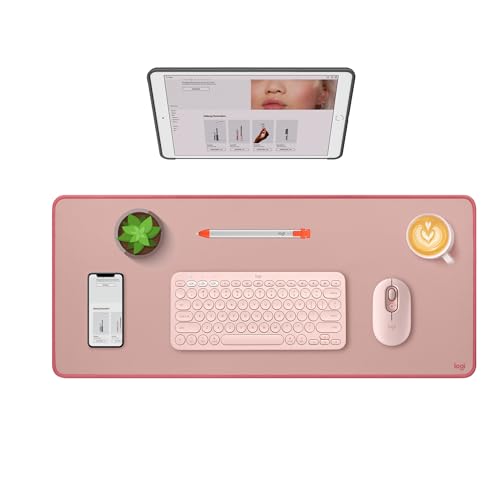
Logitech Studio Series Desk Mat Large 28x12 Inches - Rubber - Darker Rose
Included for 'Logitech Desk Mat Studio Series Review: Size Fit, Materials and Who Should Size Up' because the listing specifies Rubber and Darker Rose, details this guide uses to compare options.
View on Amazon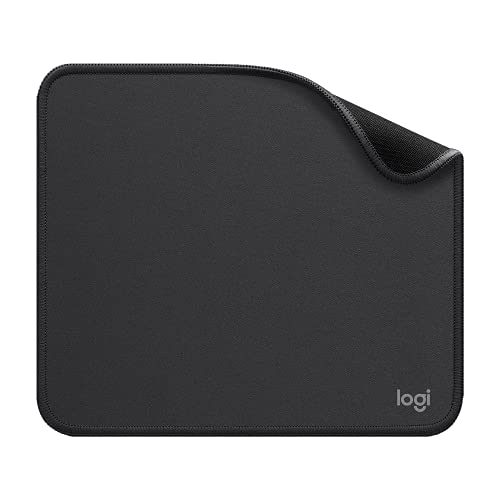
Logitech Studio Series Small Mouse Pad, Anti-Slip 9x8 Inches, Graphite
Included for 'Logitech Desk Mat Studio Series Review: Size Fit, Materials and Who Should Size Up' because the listing specifies Anti-Slip 9x8 Inches and Graphite, details this guide uses to compare options.
View on Amazon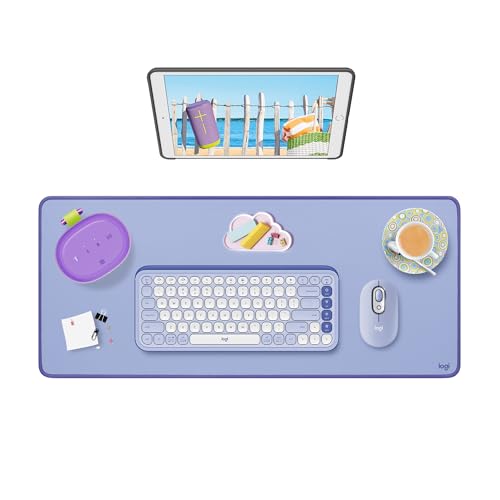
Logitech Studio Series Desk Mat Large 28x12 Inches - Lilac
Included for 'Logitech Desk Mat Studio Series Review: Size Fit, Materials and Who Should Size Up' because the listing specifies Lilac, details this guide uses to compare options.
View on Amazon
Logitech Studio Series Small Mouse Pad, Anti-Slip 9x8 Inches, Blue Grey
Included for 'Logitech Desk Mat Studio Series Review: Size Fit, Materials and Who Should Size Up' because the listing specifies Anti-Slip 9x8 Inches and Blue Grey, details this guide uses to compare options.
View on AmazonKey Specifications
| Spec | Logitech Desk Mat Studio Series |
|---|---|
| Size | 700 x 300 mm (27.6 x 11.8 in) |
| Thickness | About 2 mm; about 3.5 mm at the stitched edge |
| Weight | About 286 g (10 oz) |
| Top surface | Recycled polyester fabric with a spill-resistant coating |
| Base | Anti-slip natural rubber (contains latex) |
| Edges | Flat-stitched to resist fraying |
| Colors | Mid gray plus several pastel shades, including rose and lilac tones |
| Typical price | Usually $20–$35 |
Will It Fit Your Desk and Your Gear?
The 700 mm width is the number that decides whether this mat works for you. Here is how common keyboard layouts and a mouse fit on it, assuming about 10 inches of mouse space.
| Keyboard layout | Typical keyboard width | Space left for mouse on a 27.6 in mat | Verdict |
|---|---|---|---|
| 60–65% compact | 11–12.5 in | 15–16.5 in | Roomy, even for low-sensitivity gaming |
| 75% / TKL | 12.5–14.5 in | 13–15 in | Comfortable for office use |
| Full-size with numpad | 17–18 in | 9.5–10.5 in | Tight but workable for office mousing |
| Full-size + wide ergonomic | 18–19.5 in | 8–9.5 in | Mouse may slide off the edge |
The 11.8-inch depth covers a keyboard plus a few inches of wrist area in front of it. It does not reach under a monitor stand. On a 24-inch-deep desk, that leaves roughly half the desktop uncovered, which is fine if you want the wood or laminate to show around the mat.
As a rule of thumb, the mat looks proportional on desks from about 40 to 55 inches wide. On a 60-inch or larger gaming desk it reads as a medium mouse pad rather than a desk mat.
Materials: What the Fabric and Base Mean Day to Day
Recycled polyester top
The surface is a woven polyester fabric with a coating that lets liquids bead long enough to be wiped up. Logitech’s own guidance is to wipe spills within a couple of minutes with a damp cloth, so think of it as spill-resistant rather than waterproof. Coffee left to soak in will stain like any fabric pad.
Polyester fabric gives a smooth, even glide for optical mice and keeps its shape without curling. It is not a speed-tuned gaming cloth, but for office and casual gaming use most mice track on it without issue.
Natural rubber base
The rubber underside grips laminate, wood veneer and glass well, so the mat does not creep when you push the mouse. Because the base contains latex, anyone with a latex allergy should choose a mat with a synthetic base instead.
Thin profile
At about 2 mm, the mat adds almost no height under your wrists. That keeps your keyboard height unchanged, which matters if you have already set desk height to elbow level. The trade-off is that it offers no cushioning; if you want a softer wrist area, add a separate wrist rest or choose a 3–4 mm mat.
How It Compares With Other Desk Mat Types
| Mat type | Typical size | Thickness | Usual price | Best for |
|---|---|---|---|---|
| Logitech Studio Series (fabric) | 700 x 300 mm | 2 mm | $20–$35 | Tidy, compact keyboard-and-mouse zone |
| Extended gaming cloth | 800–900 x 300–400 mm | 3–4 mm | $15–$40 | Low-sensitivity gaming, wider desks |
| PU leather desk pad | 800 x 400 mm and up | 1.5–2 mm | $15–$40 | Writing and desk protection; wipes fully clean |
| Wool felt mat | 700–900 x 300–400 mm | 3–4 mm | $30–$80 | Soft look; less ideal for spills |
| Cork mat | 600–900 x 300–400 mm | 2–3 mm | $20–$50 | Natural look; edges can chip over time |
Strengths
- Coordinated look: the colors match Logitech’s Studio Series and pastel peripherals, which is the main reason many buyers pick it over a generic pad.
- Flat stitched edges: stitching resists fraying without creating a raised ridge that digs into wrists.
- Stays put: the rubber base holds well on smooth desktops.
- Low profile: does not change your typing height.
Limitations
- Not a full-desk cover: at 11.8 inches deep it will not protect the area under a monitor or laptop.
- Snug for full-size keyboards: with a numpad keyboard, mouse space drops to around 10 inches.
- Fabric stains: the coating buys time, but it does not make the mat stain-proof.
- Latex in the base: a real concern for allergy sufferers.
- No cushioning: wrist comfort depends on a separate rest.
Durability: What Wears First
On fabric desk mats the first visible wear is usually a smoother, slightly shiny patch where the mouse glides and a darker area where palms rest. Lighter pastel colors show this sooner than mid gray. The stitched edge generally outlasts the surface. Keeping the mat clean with a damp cloth and letting it dry flat helps it stay even; avoid rolling it tightly for storage, which can leave a curl.
Who Should Buy It
| You are… | Recommendation |
|---|---|
| Using a compact or TKL keyboard on a 40–55 in desk | Strong fit |
| Matching a pastel or gray Logitech setup | Strong fit |
| Using a full-size keyboard and a large mouse swing | Size up to an 800–900 mm mat |
| Wanting to protect the whole desktop | Choose a PU leather or full-size pad |
| Allergic to latex | Pick a mat with a synthetic base |
Verdict
The Logitech Desk Mat Studio Series does a focused job well: a thin, neat, color-matched surface for a keyboard and mouse on a mid-size desk. Its limits are size and fabric, not build. If your keyboard is compact and your desk is under about 55 inches wide, it is a sensible $20–$35 purchase. If you need more mouse room or full desk protection, an extended or full-surface mat is the better match.