Key takeaways
- 2–3 mm: thin and stable; good under a keyboard because it does not raise typing height noticeably.
- 3–4 mm: a soft wrist feel and still stable; the common size for extended gaming pads.
- 5–6 mm: plush, but keyboards can rock on it and it raises wrists, so it mostly suits mouse-only pads.
A desk pad for keyboard and mouse should be at least 4 inches wider than your keyboard plus the mouse area you actually use, which in practice means about 31.5 x 15.7 inches (800 x 400 mm) for a compact or tenkeyless keyboard, 35.4 x 15.7 inches (900 x 400 mm) for a full-size keyboard with a mouse, and 47 x 23.6 inches (1200 x 600 mm) or larger if you want the pad to cover the whole front of the desk. Material comes second: cloth for mouse control, PU leather or felt for writing and looks.
Size guide by setup
Measure two things before buying: the width of your keyboard and how far your mouse travels left to right during normal use. Low-sensitivity gamers often sweep 10–15 inches; office users rarely use more than 6–8 inches.

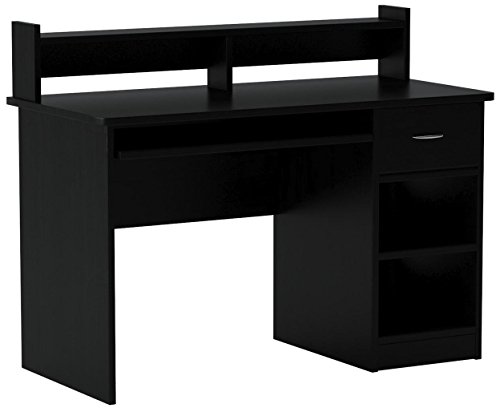
Logitech G840 XL Cloth Gaming Mouse Pad (900x400x3) - Black
Included for 'Desk Pad for Keyboard and Mouse: Sizes, Materials and Alternatives' because the listing specifies Black, details this guide uses to compare options.
View on Amazon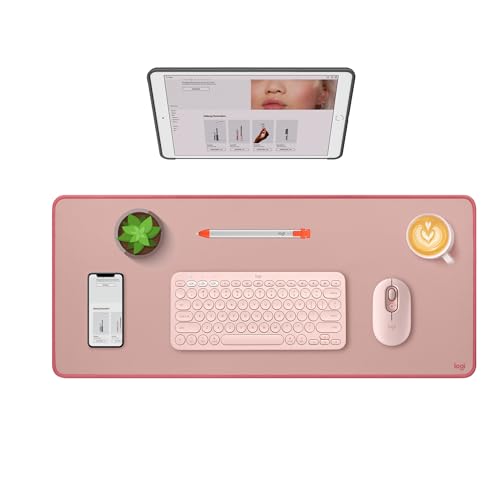
Logitech Studio Series Desk Mat Large 28x12 Inches - Rubber - Darker Rose
Included for 'Desk Pad for Keyboard and Mouse: Sizes, Materials and Alternatives' because the listing specifies Rubber and Darker Rose, details this guide uses to compare options.
View on Amazon
SteelSeries QcK XXL Gaming Mouse Pad - Black
Included for 'Desk Pad for Keyboard and Mouse: Sizes, Materials and Alternatives' because the listing specifies Black, details this guide uses to compare options.
View on Amazon
Aothia Non-Slip Waterproof PU Leather Desk Pad Protector for Mouse, Writing Desk, Office, Home, Laptop Blotter, 23.6" x 13.7", Black
Included for 'Desk Pad for Keyboard and Mouse: Sizes, Materials and Alternatives' because the listing specifies Writing Desk and Office, details this guide uses to compare options.
View on Amazon| Common pad size | Metric | Fits | Minimum desk size |
|---|---|---|---|
| 23.6 x 11.8 in | 600 x 300 mm | 60% or 65% keyboard + mouse, office sensitivity | 32 x 18 in |
| 31.5 x 11.8 in | 800 x 300 mm | Tenkeyless keyboard + mouse | 40 x 20 in |
| 31.5 x 15.7 in | 800 x 400 mm | Tenkeyless + mouse, room for wrist rest | 40 x 20 in |
| 35.4 x 15.7 in | 900 x 400 mm | Full-size keyboard + mouse | 42 x 24 in |
| 39.4 x 19.7 in | 1000 x 500 mm | Full-size + wide mouse sweeps + notebook | 48 x 24 in |
| 47.2 x 23.6 in | 1200 x 600 mm | Whole front of a 55–60 in desk | 55 x 27.5 in |
Leave the pad slightly smaller than the desk depth, about 2–4 inches, so that monitor feet or a monitor arm base sit on the desk itself rather than on a soft surface that lets them sink or wobble.
Materials compared
| Material | Mouse glide | Writing surface | Spill resistance | What wears first | Usual price |
|---|---|---|---|---|---|
| Cloth with rubber base (3–4 mm) | Excellent, consistent | Poor; too soft | Absorbs unless coated | Edges fray if not stitched | $15–$40 |
| PU leather | Good for office use | Good | Wipes clean | Surface peels at wrist area after heavy use | $15–$50 |
| Genuine leather | Good | Very good | Stains if not treated | Darkens with oils; ages gracefully | $60–$200 |
| Wool felt | Fair; a little drag | Fair | Absorbs | Pills and collects dust | $30–$120 |
| Cork | Fair to good | Good | Moderate | Edges crumble on thin pads | $20–$60 |
| Hard plastic or glass | Fast, low friction | Very good | Excellent | Mouse feet wear faster | $30–$100 |
For gaming, a cloth pad with stitched edges is the default. For office work, PU leather is the most popular because it handles both mouse use and writing and can be wiped down. Premium designs from brands such as Grovemade and Orbitkey use felt or leather with a more furniture-like look.
Thickness and comfort
- 2–3 mm: thin and stable; good under a keyboard because it does not raise typing height noticeably.
- 3–4 mm: a soft wrist feel and still stable; the common size for extended gaming pads.
- 5–6 mm: plush, but keyboards can rock on it and it raises wrists, so it mostly suits mouse-only pads.
A desk pad also adds a little height. On a 29–30 inch desk, a shorter user may already find the keyboard high; a thick pad makes that worse, so choose thin.
Alternatives: tray, lap desk and built-in pad
Keyboard and mouse tray under the desk
An under-desk tray lowers the keyboard 2–4 inches below the desktop, which can fix a desk that is too high for you. Trays come in two kinds: fixed slide-out trays screwed under the top and articulating arms with height and tilt adjustment. Before buying, check the under-desk depth (you need 17–22 inches of clear runway for most tracks), the thickness of the top (screws need at least 3/4 inch of material) and the knee clearance once the tray is mounted. Many trays are around 25–28 inches wide, which is tight for a full-size keyboard plus a mouse; look for models with a separate mouse platform.
Lap desk for mouse and keyboard
For couch or bed use, a lap desk about 24–30 inches wide with a built-in mouse area lets you use a keyboard and mouse without a desk. Look for a cushioned underside or a rigid frame that rests on the armrests, and a lip or ledge so the mouse does not slide off.
Gaming desk with built-in mouse pad
Some gaming desks come with a full-surface mouse pad or a carbon-fiber-texture laminate top. These are convenient, but a fitted pad that cannot be replaced can be a weakness: once it is stained or frayed, the desk looks worn. A separate pad over a plain top is easier to refresh.
Matching the pad to how you work
| Your use | Recommended pad |
|---|---|
| Office work, frequent writing | PU or genuine leather, 31.5 x 15.7 in or 35.4 x 15.7 in |
| Competitive gaming, low sensitivity | Cloth, 3–4 mm, 35.4 x 15.7 in or bigger, stitched edges |
| Design or photo editing | Cloth or hard pad sized to cover a drawing tablet area |
| Protecting a wood desk top | Leather or felt pad covering the front 15–24 in |
| Kids and spills | PU leather or coated cloth; wipe-clean |
Care and lifespan
Cloth pads can be hand-washed in lukewarm water with mild soap and air-dried flat; avoid the dryer, since heat can separate the rubber base. Wipe PU leather with a damp cloth only. Flatten new rolled pads by laying them face-down under books for a day. A cloth pad used daily usually shows wear in the mouse area within one to two years; leather and felt last longer but show oil marks where wrists rest.
Common mistakes
- Buying a pad deeper than the free desk area, so the monitor foot sits on it.
- Choosing a thick, plush pad and then wondering why the keyboard feels unstable.
- Using a cloth pad for handwriting; pens punch through paper on soft surfaces.
- Ignoring edge finish: unstitched cloth edges begin to peel within months.