
Our Top Picks
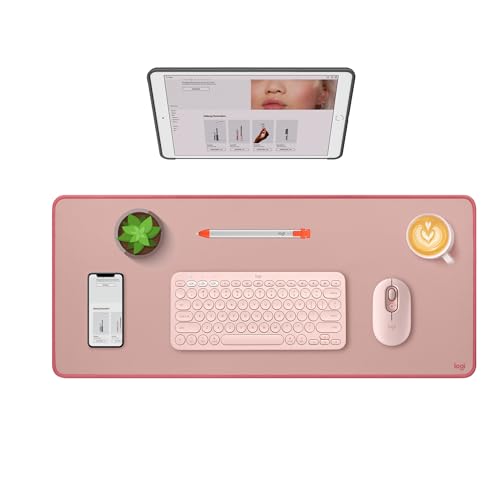 Logitech Studio Series Desk Mat Large 28x12 Inches13" x 3"27.5 x 11.8 x 0.08 inches0.6 poundsCheck on Amazon
 Aothia Non-Slip Waterproof PU Leather Desk Pad Protector23.6" x 13.7"13.7 x 23.6 x 0.1 inches0.5 poundsCheck on Amazon
The right table mat for a computer desk is a full-surface protector cut 1–2 inches smaller than your desktop on each side, in a material chosen for what you are protecting against: clear PVC or polycarbonate to keep a wood finish visible, PU leather or felt for a softer surface under keyboard and mouse, and cork or felt when sound and grip matter most. A small mouse pad protects one spot; a table mat protects the whole working zone from scratches, heat rings, spills and sun fade.
This guide covers sizing to common desk tops, the material trade-offs, and the problems people run into, from clear mats that stick to lacquer to leather mats that curl.
Logitech Studio Series Desk Mat Large 28x12 Inches - Rubber - Darker Rose
Chosen because it specifies Rubber and Darker Rose.
View on Amazon
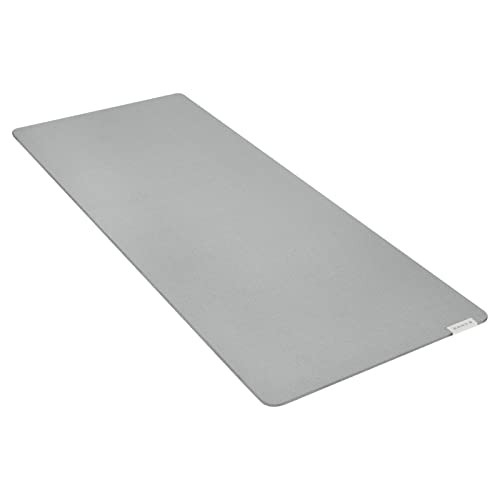
Razer Pro Glide Soft Mouse Mat, Textured Micro-Weave Cloth, White, XXL
Chosen because it specifies Textured Micro-Weave Cloth and White.
View on AmazonAothia Non-Slip Waterproof PU Leather Desk Pad Protector for Mouse, Writing Desk, Office, Home, Laptop Blotter, 23.6" x 13.7", Black
Chosen because it specifies Writing Desk and Office.
View on AmazonTable Mat vs Desk Pad: Which One You Actually Need
- Desk pad (keyboard and mouse mat): usually 31–36 inches wide and 12–17 inches deep. Covers the typing zone only.
- Table mat (desk protector): sized to most or all of the desktop, often 48–72 inches wide and 24–30 inches deep. Covers the area under monitors, lamps, coffee mugs and paperwork too.
Choose a full table mat if the desk is solid wood or veneer you want to preserve, if the finish is already worn and you want to hide it, or if you write by hand and want a consistent surface. A desk pad is enough for a laminate desk where only the mouse area wears.
Sizing a Mat to Your Desk
Leave a visible border so the mat edge does not catch on sleeves or hang over the front lip. A 1–2 inch reveal on each side looks deliberate; a mat that matches the desk exactly tends to shift and expose a sliver of desk on one side, which looks like a mistake.
| Desktop size (W x D) | Recommended mat size | Common stock sizes that fit |
|---|---|---|
| 40 x 20 in (compact) | 36–38 x 17–18 in | 36 x 17 in large desk pad |
| 48 x 24 in | 44–46 x 20–22 in | 47 x 23.6 in (120 x 60 cm) |
| 55 x 24 in | 51–53 x 20–22 in | Cut-to-size clear PVC roll |
| 60 x 30 in | 56–58 x 26–28 in | Cut-to-size or 59 x 29.5 in (150 x 75 cm) |
| 72 x 30 in | 68–70 x 26–28 in | Cut-to-size PVC or two matching mats |
For L-shaped and corner desks, two rectangular mats (one per wing) almost always look and lie better than one oversized mat with a cut corner. On standing desks, measure around any control panel or grommet so the mat does not cover buttons.
Material Trade-Offs
| Material | Typical thickness | Typical price (desk size) | Strengths | Weaknesses |
|---|---|---|---|---|
| Clear PVC (soft) | 1.5–2 mm | $20–$60 | Shows wood grain, cut with scissors, wipes clean | Can yellow in sun; plasticizers may react with some finishes |
| Clear polycarbonate / PET (rigid) | 1–2 mm | $40–$120 | Flat, glass-like, no plasticizer migration | Edges can crack if dropped; must be ordered to size |
| PU leather | 1.5–3 mm | $15–$45 | Soft, warm look, good mouse surface, often reversible | Edges can curl; surface peels after a few years of heavy use |
| Genuine leather | 2–3 mm | $80–$250 | Ages well, classic desk blotter look | Stains from water rings; needs occasional conditioning |
| Wool felt | 3–5 mm | $40–$120 | Quiet, cushions typing, grips without adhesive | Absorbs spills; not ideal for handwriting with ballpoint |
| Cork | 2–4 mm | $20–$60 | Natural grip, insulates against mug heat | Crumbles at edges with abrasion; stains easily |
The clear PVC sticking problem
Soft PVC contains plasticizers that can migrate into some lacquer, shellac and polyurethane finishes, especially in heat or direct sun, leaving a cloudy or tacky patch when the mat is lifted. Lower-risk options:
- Choose rigid polycarbonate or PET for antique or high-value wood.
- If using PVC, lift it every few weeks to let the finish breathe and wipe away trapped moisture.
- Avoid putting soft PVC on a freshly finished desk; let new finishes cure fully, which can take several weeks.
- Keep the desk out of direct afternoon sun, which also yellows PVC.
Curling and shifting
Leather and PU mats shipped rolled will curl at the edges for a few days. Lay them flat under books, or use a hair dryer on low from a distance to relax the material. If a mat shifts, a mat with a suede or rubberized underside grips better than a smooth PU back; thin silicone grip dots under the corners work for most other types.
Matching the Mat to How You Use the Desk
| Your situation | Best mat type | Why |
|---|---|---|
| Solid wood desk you want to show off | Rigid clear polycarbonate | Protects without hiding grain or reacting with finish |
| Gaming or heavy mouse use | PU leather or felt, full width | Consistent glide across the whole surface |
| Hand-writing, drawing or signing documents | Clear PVC or leather | Firm writing surface; felt is too soft for pens |
| Kids’ homework desk | Clear PVC | Wipes clean of marker and glue; cheap to replace |
| Noisy mechanical keyboard, shared room | Thick wool felt | Dampens key and desk resonance |
| Laminate desk with worn spots | PU leather | Hides wear, inexpensive |
Heat, Spills and Cleaning
- Hot mugs: most PVC and PU mats tolerate a hot mug but can soften or mark under a laptop charger brick or very hot pan. Cork and felt insulate best.
- Spills: PVC, polycarbonate and PU wipe clean. Felt and cork need blotting immediately; felt can be hand-washed cold and dried flat.
- Daily care: a damp microfiber cloth with a drop of mild soap suits all non-porous mats. Avoid alcohol and solvent cleaners on PU and clear plastics; they cloud the surface.
What Wears First and When to Replace
- PU leather: the mouse zone and wrist area show wear first, usually as surface cracking after 1–3 years of daily use.
- Clear PVC: fine scratches haze the writing zone; yellowing appears sooner near windows.
- Felt: pilling under the mouse and a slight shine where wrists rest.
- Polycarbonate: outlasts the others but shows scratches more clearly because it is rigid and glossy.
Measure your desktop, subtract 2–4 inches from each dimension, and pick the material from the table that matches your main risk. That combination does more for protection and comfort than any feature on the label.









