Key takeaways
What's inside
For anyone upgrading a home office, the transition to an active workspace inevitably leads to a pivotal engineering question: should you buy a single motor or a dual motor standing desk? While the price tag is often the first thing that catches your eye, the real decision lies in how the desk behaves under pressure. A standing desk isn’t just a piece of static furniture; it is an active machine that must lift your computer tower, multiple monitors, heavy desk pads, and morning coffee without shaking, stuttering, or burning out.
The core difference lies in how power is distributed. A single motor desk relies on one motor to drive a single leg directly, using a rotating hex rod to transfer mechanical energy across the frame to raise the opposite leg. A dual motor desk, by contrast, houses a dedicated motor inside or directly attached to each leg. These two motors are synchronized electronically by a central control box. In 2026, as home offices evolve into permanent, professional-grade hubs, understanding how this mechanical difference affects daily usability is the key to making a smart investment.
As an Amazon Associate we earn from qualifying purchases at no extra cost to you. Product prices and availability are accurate as of the date shown and are subject to change.


Quick Verdict
If you have a compact, lightweight setup consisting of a single laptop, a lightweight monitor, and minimal accessories, a single motor standing desk is a highly cost-effective, reliable choice. However, for those with dual-monitor setups, heavy desk accessories, or a desire for a wider, more stable desktop, a dual motor standing desk is vastly superior. Dual motor systems offer faster adjustment speeds, significantly higher weight capacities, smoother transitions, and better long-term durability because the lifting strain is shared equally across two synchronized drive systems.
Side by Side
To help you visualize how these two configurations compare in real-world conditions, here is a breakdown of their primary performance and design characteristics:
| Feature | Single Motor Standing Desk | Dual Motor Standing Desk |
|---|---|---|
| Comfort & Usability | Decent; slower transitions (0.6 to 1.0 in/sec) and slight start/stop jarring. | Excellent; fast, fluid transitions (1.2 to 1.6 in/sec) with soft start/stop. |
| Durability | Moderate; single motor operates under constant high stress, hex rod can wear down. | High; dual motors share the load, reducing wear on internal gears. |
| Price Range | $150 to $300 (Complete desk) | $250 to $600+ (Complete desk) |
| Maintenance | Low, but hex rod alignment must be precise to prevent squeaking or binding. | Low; occasionally requires a simple electronic control box reset. |
| Space Needed | Typically optimized for smaller footprints (40 to 55 inches wide). | Can accommodate massive footprints (44 to 90 inches wide). |
| Aesthetics | Visible hex rod underneath; motor housing may protrude from one leg. | Clean, streamlined look; motors are hidden inside the leg columns. |
| Resale Value | Lower; perceived as an entry-level budget option. | Higher; sought after by professionals looking for premium office gear. |
| Weight Capacity | Typically 110 to 170 lbs. | Typically 220 to 350 lbs. |
| Best For | Budget-conscious shoppers, small apartments, simple laptop setups. | Power users, heavy equipment, multi-monitor setups, long-term investments. |
Where Single Motor Wins
The most compelling argument for a single motor standing desk is its price. By eliminating one of the most expensive components—the second motorized drive unit—manufacturers can offer sit-stand functionality at a fraction of the cost. If your budget is strictly capped, a single motor option allows you to experience the physical benefits of standing without a massive upfront financial commitment.
Additionally, single motor desks are generally lighter. Because they have fewer heavy metal motor castings and lack a second motor housing, the overall frame weight is lower. This makes the desk much easier to assemble, shift around a room, or move to a new home. For lightweight setups, the single motor is perfectly adequate; it will lift a standard 15-pound monitor, a keyboard, and a lightweight wood laminate desktop without complaining, provided you do not exceed its rated capacity.
When evaluating motor performance, it helps to understand the engineering context. While industrial environments rely on high-output, single-phase powerhouses like the VEVOR 1HP Electric Motor 1725 RPM, AC 115V/230V, 56C Frame, Air Compressor Motor Single Phase, 5/8″ Keyed Shaft, CW/CCW Rotation for Agricultural Machinery and General Equipment ($163.93) or the high-velocity VEVOR 5HP SPL Air Compressor Electric Motor, 230V 17.6Amps, 56 Frame 3450RPM, 5/8″ Keyed Shaft, 1.88″ Shaft Length, Single Phase, CW/CCW Rotation (Factory Setting is CCW) ($132.5) to run heavy machinery, ergonomic furniture uses a completely different class of motor. Standing desk motors are small, highly integrated, low-voltage DC units designed not for raw horsepower, but for whisper-quiet, synchronized micro-adjustments. In a single motor desk, this delicate DC motor has to work extra hard to turn the mechanical drive rod, which is why keeping the desktop load light is so critical.
Where Dual Motor Standing Desk Performance Wins
When analyzing single motor vs dual motor standing desk performance, dual motor systems outclass their single-motor counterparts in almost every functional category. The primary advantage is lifting strength. Because power is applied directly and symmetrically to both legs, dual motor desks easily handle heavy, unevenly distributed loads. If you mount a heavy dual-monitor arm on one side of the desk and place a heavy desktop computer on the other, a dual motor desk will lift the entire surface evenly without tilting or straining.
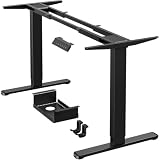
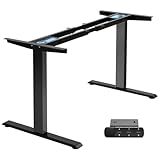
For those choosing to build their own custom workstation, buying a standalone frame is a highly popular route. Heavy-duty DIY frames like the ErGear Dual Motor Standing Desk Legs for 44-90 inch Desktops, 264 lbs ($169.99) or the TOPSKY Dual Motor Standing Desk Frame, 225 lbs Capacity, Black ($149.98) allow users to pair high-performance dual-motor systems with any custom wood or laminate desktop they choose. These frames demonstrate the raw performance advantage of dual motors, offering the strength to lift thick, solid hardwood tops that would easily stall or burn out a single motor system.
Beyond weight capacity, dual motor desks offer a superior user experience. They transition between sitting and standing heights much faster—often raising at a rate of 1.5 inches per second compared to the sluggish 0.8 inches per second of single motors. They are also quieter because neither motor has to run at its absolute thermal limit to move the desk. Furthermore, dual motor frames usually feature advanced collision detection. Because the control box monitors the electrical current of both motors, it can instantly detect if one side of the desk hits an obstacle (like a chair armrest or a windowsill) and reverse direction immediately, protecting your furniture and equipment.
Cost Over 5 Years
When buying office furniture, it is wise to calculate the total cost of ownership rather than just the initial checkout price. A budget single motor standing desk might cost $180 upfront, but it often carries a limited 1-to-3-year warranty. Because a single motor must work harder to move the same amount of weight, its components experience higher thermal stress and friction. If the motor or the mechanical hex rod fails after the warranty expires, finding matching replacement parts can be incredibly difficult, often forcing you to buy an entirely new desk.
A high-quality dual motor standing desk frame typically costs between $150 and $300 on its own, with complete desks ranging from $300 to $600. However, these systems are built to last and frequently come with 5-to-10-year warranties. Because the physical workload is shared between two independent motors, the system operates well below its maximum thermal threshold during daily adjustments. Over a five-year period, a dual motor desk is highly likely to survive without a single mechanical issue, making its cost-per-year significantly lower than a cheap single motor desk that may need to be replaced by year three.
Which One for Your Home
Small Apartment
If you are working out of a tight corner in a studio apartment or a small bedroom, a single motor desk is often the most practical choice. These spaces generally require smaller desktop sizes (such as 40 to 48 inches in width), which do not require the immense lifting span of a dual motor frame. The lighter weight of a single motor frame also makes it much easier to maneuver through tight hallways and doorways if you need to rearrange your living space.
Family with Kids and Pets
For active households with children and pets running around, a dual motor standing desk is the safest and most stable option. The dual-leg drive system ensures the desk rises and lowers perfectly level, minimizing the risk of tipping. More importantly, dual motor control boxes feature highly sensitive, customizable anti-collision sensors. If a child crawls under the desk or a pet leaves a toy in the desk’s path while it is lowering, the system will instantly stop and bounce upward, preventing injuries and equipment damage.
Rental
If you live in a rental property and move every year or two, you want a balance of performance and portability. A mid-range dual motor frame with a medium-sized top (around 55 inches) is ideal. It provides the stability you need for a professional remote work setup but can still be disassembled relatively quickly. However, if you want to make move-out day as painless as possible, a lightweight single motor desk is significantly easier to carry down flights of stairs.
Long-Term Home
If you own your home and are designing a dedicated, permanent home office, do not compromise: choose a dual motor desk. It allows you to invest in a beautiful, heavy desktop material like solid oak, walnut, or reclaimed wood. As your career and technology needs evolve over the next decade, a dual motor frame will easily adapt to heavier monitor mounts, larger speakers, and advanced cable management systems without ever needing an upgrade.
FAQ
Do dual motor desks make more noise than single motor desks?
No. In fact, dual motor desks are often quieter than single motor desks. Because two motors share the physical load, they do not have to strain or run at maximum capacity. This results in a smooth, low-pitched hum (usually under 45 to 50 decibels) compared to the higher-pitched whining sound often produced by a single motor struggling to lift a loaded desktop.
Can I upgrade a single motor standing desk to a dual motor later?
No. The physical frame architecture is completely different. A single motor frame is engineered with a pass-through channel for a mechanical hex rod to spin the gears in the opposite leg. A dual motor frame has no drive rod; instead, it uses electrical cables to connect the motor in each leg to a central control box. Upgrading would require replacing the entire frame, legs, and electronics.
How much weight do I actually need my standing desk to lift?
A standard office setup—including a 55-inch wood desktop (40 lbs), two 27-inch monitors with a dual-arm mount (30 lbs), a laptop, keyboard, mouse, and desk accessories (15 lbs)—weighs roughly 85 pounds. While this technically fits within the weight limit of a single motor desk, it operates near its upper limit. A dual motor desk with a 220+ lb capacity handles this setup effortlessly, leaving plenty of headroom for safety and longevity.
What happens if one motor in a dual motor desk stops working?
If one motor fails or loses power, the central control box instantly detects the voltage imbalance and halts all movement. This safety feature prevents the desk from lifting unevenly and dumping your expensive monitors and computers onto the floor. To fix it, you will typically perform a simple system reset using the keypad, or contact the manufacturer to replace the affected leg motor or control box.