Our Top Picks
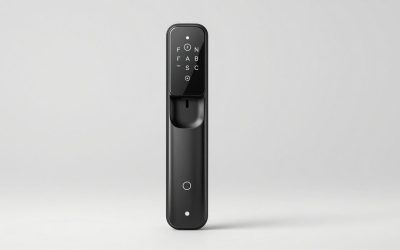
 Schlage Encode Smart WiFi Deadbolt Lock with CenturyEncode0.9 x 3 x 5 inches3.4 poundsCheck on Amazon
Best WiFi Smart Locks: The Short Answer
If you want one recommendation: a full-replacement deadbolt with built-in 2.4 GHz WiFi and a physical keypad — Schlage’s Encode Plus or a Yale Assure Lock 2 with the WiFi module — is the best WiFi smart lock for most homes, because it needs no hub, works when your phone is dead, and keeps a mechanical key as backup. If you rent, or you want to keep your existing deadbolt and key, a retrofit lock (August WiFi Smart Lock, Yale Approach, Level Bolt, Aqara U200, SwitchBot Lock Pro) installs over your current thumbturn in 10–20 minutes with a Phillips screwdriver and no drilling. Expect roughly $120–$250 for retrofit and keypad models, $180–$350 for full deadbolt replacements with WiFi, and $300–$600 for video-integrated locks or premium brass finishes.
Start With Fit: The Numbers That Rule Out Half the Market
Smart locks fail at the door, not in the app. Before comparing features, confirm your door matches the lock’s mechanical envelope. Standard North American residential prep is very consistent, which is why most locks fit most doors — but the exceptions are expensive to discover after purchase.
Schlage Encode Smart WiFi Deadbolt Lock with Century Trim, Matte Black
Chosen because it specifies Matte Black.
View on Amazon
Wyze Auto-Lock Bolt v2, Fingerprint Keyless Entry Smart Lock, AI Learning Scanner with Wi-Fi Front Door Lock Deadbolt, Auto-Lock, 8 Months Battery, BHMA2, IP53, Anti-Peep Keypad, Backup Keys
Chosen because it specifies Fingerprint Keyless Entry Smart Lock and AI Learning Scanner with Wi-Fi Front Door Lock Deadbolt.
View on Amazon
eufy Security Smart Lock C220, Fingerprint Keyless Entry Door Lock
Chosen because it specifies Fingerprint Keyless Entry Door Lock.
View on Amazon
Philips WiFi Keypad Deadbolt with Handle, Built-in WiFi, APP Remote Control
Chosen because it specifies Built-in WiFi and APP Remote Control.
View on Amazon| Measurement | Standard residential value | Why it matters |
|---|---|---|
| Cross bore (face of door) | 2-1/8 in. (54 mm) | Full-replacement deadbolts drop straight into this hole; anything smaller needs drilling |
| Edge bore (door edge) | 1 in. (25 mm) | Bolt must slide through without binding |
| Backset | 2-3/8 in. (60 mm) or 2-3/4 in. (70 mm) | Most locks ship with both; a 5 in. backset on older doors needs an adapter or a different lock |
| Door thickness | 1-3/8 in. to 1-3/4 in. (35–45 mm) | Thicker doors (some to 2-1/4 in. / 57 mm) need a longer mounting kit |
| Bolt throw | 1 in. (25 mm) | Shorter throws are a downgrade; confirm the 1 in. figure |
| Thumbturn clearance (retrofit only) | About 2 in. of flat interior space | Decorative rosettes, narrow-stile glass doors, and thumbturns within 1 in. of the door edge often block the clamp |
| Storm-door gap | About 1 in. (25 mm) | Keypad escutcheons and video locks need room to be pressed and to avoid trapping moisture |
One more fit question decides your whole shopping list: what kind of lock is on the door now? A US-style tubular deadbolt is the easy case. A European mortise cylinder or a multipoint locking system (common in condos, and standard in much of Europe) needs a dedicated retrofit — Nuki, Tedee, and Danalock build for mortise cylinders, and Aqara’s U200 ships with adapters for several European profiles. No amount of app quality compensates for a lock that won’t bolt to your door.
Retrofit vs. Full Replacement: The Core Trade-Off
Retrofit locks keep your existing deadbolt, key, and exterior hardware. You remove the interior thumbturn, clamp a motorized body over the spindle, and the lock turns the existing bolt for you. You keep your key, you keep your landlord’s key, and you keep the door’s original look from the street. The cost is bulk: most retrofit bodies add roughly 1–2 in. (25–50 mm) of depth on the inside face and about 3.4 in. (86 mm) across, which can collide with a screen door frame or a tight jamb.
Full replacements swap the entire deadbolt, so the interior stays slim and the exterior gains a keypad. They install in 25–45 minutes and require no special tools in a standard door, but they are permanent: you can’t hand the original deadbolt back at move-out without reinstalling it. Level’s Lock+ and Bolt sit in a third category — they replace the deadbolt’s internals but keep the exterior footprint nearly invisible, with no keypad at all.
Battery Life Is Really a Radio Decision
WiFi radios are the single biggest drain on a smart lock. A lock that holds a WiFi connection awake to give you remote access will burn through four AA alkalines in roughly 3–6 months under frequent remote use. The same lock running Bluetooth or Thread and letting a hub or bridge handle the network typically stretches to 9–12 months, and lithium-powered models can reach about a year. If you hate changing batteries, buy a low-power lock plus a bridge rather than a lock with built-in WiFi.
| Lock type | Radio | Typical power | Realistic life | Remote access |
|---|---|---|---|---|
| Retrofit, Bluetooth only | Bluetooth | 4 AA alkaline | 9–18 months | Only within about 30 ft of the door |
| Retrofit + bridge/hub | Bluetooth or Thread + hub WiFi | 4 AA alkaline | 9–12 months | Yes, through the hub |
| Full replacement, built-in WiFi | 2.4 GHz WiFi | 4 AA alkaline | 3–6 months | Yes, no hub needed |
| Matter over Thread | Thread + border router | 4 AA or lithium | 6–12 months | Yes, and local control survives an internet outage |
| Separate keypad accessory | Bluetooth to the lock | 2–4 AA/AAA | About 12 months | n/a |
Two cold-weather realities: alkaline AA cells lose a large share of their capacity below freezing, so lithium AAs are worth the premium in cold climates, and capacitive touchscreen keypads slow down or ignore presses in extreme cold. A physical keypad or a fingerprint reader with a code fallback is more reliable in winter.
App Controls and Remote Access: What Actually Works
Remote access has one hard requirement: the lock must be online. That means built-in WiFi, a bridge, or a Thread border router (Apple HomePod mini, Apple TV 4K, recent Echo and Nest Hub models, or a SmartThings hub). Without one of those, you get Bluetooth range only.
- 2.4 GHz only. Nearly every smart lock ignores 5 GHz networks. If your router publishes one merged SSID, split the bands or create a dedicated 2.4 GHz network for the lock.
- Signal, not speed. Aim for about −65 dBm or better at the door. A metal door, a brick vestibule, or a detached garage entry can kill a connection that looks fine two rooms away.
- Avoid isolated guest networks. Client isolation blocks the lock from reaching the cloud, which is the most common cause of “the app says offline.”
- Local control matters. Matter and Thread locks keep working during internet outages; cloud-only locks do not.
- Code management is the real feature. Guest codes, scheduled codes, and one-time codes are what separate a host-friendly lock from a novelty. Capacities vary widely — some locks hold a handful of codes, others hold well over a hundred — so check the spec if you manage turnovers.
- Auto-unlock is a phone feature, not a lock feature. Geofenced unlocking depends on location permissions and battery optimization settings; it fails silently on some Android builds. Keep the keypad as your fallback.
Keypad Design: Four Real Options
- Capacitive touchscreen. Sleek, no wear patterns from repeated codes, but unreliable with gloves, wet hands, sunscreen, and extreme cold. Fingerprint smudges can reveal which digits you use.
- Physical push buttons. Work with gloves and in the cold, and give tactile confirmation. The trade-off is wear: legends fade and frequently used buttons polish shiny, which is a shoulder-surfing risk.
- Shuffling keypads. Lockly’s PIN Genie randomizes digit positions each time, which defeats both smudge reading and repeated-position guessing. The downside is a slower entry rhythm.
- Fingerprint plus code. Fastest day to day, but sensors struggle with wet, cold, or dirty fingers. Always keep a code and a key as backups.
Ergonomics matter more than people expect. Place the keypad roughly 36–48 in. above the floor for comfortable reach, and check that a storm door doesn’t crowd it.
Security Features Worth Paying For
ANSI/BHMA A156.36 rates residential deadbolts Grade 1, 2, or 3, with Grade 1 carrying the toughest impact and cycle requirements and Grade 3 representing builder-grade hardware. Look for a 1 in. hardened steel bolt, an anti-saw roller or insert, a reinforced strike plate installed with 3 in. screws into the framing, and an anti-pry shield on the exterior. On the electronic side, expect AES-128 or AES-256 encryption in transit, TLS to the cloud, and encrypted commissioning if the lock is Matter-certified. Tamper alarms, wrong-code lockout, and keypad anti-peel alarms are standard on mid-range and premium models.
Then there’s the question nobody asks until it matters: what happens when the battery dies? Retrofit locks keep your original key, so you always have a mechanical way in. Some full replacements include a hidden keyway; a few are entirely keyless, and some keypads offer a 9V jumpstart terminal for a dead battery. If your only door is keyless, store a key elsewhere or plan a second entry point.
Construction Trade-Offs: Where the Money Goes
| Body / finish | Strengths | Weaknesses | Typical price band |
|---|---|---|---|
| Die-cast zinc, powder coat | Light, affordable, fine indoors and in dry climates | Can pit in coastal salt air; finish scratches show | $120–$250 |
| Die-cast zinc, PVD finish | Much harder finish, better UV and scratch resistance | Modest cost premium | $180–$300 |
| Stainless steel | Strongest common option; best for high-traffic and coastal doors | Heavier, pricier, fewer style choices | $250–$450 |
| Solid brass, lacquered | Excellent corrosion resistance, premium feel and weight | Lacquer can wear and needs occasional polishing | $300–$600 |
| Aluminum | Cheap and light | Softer threads and mounting points; avoid on high-traffic doors | $70–$150 |
The part that fails first is rarely the shell. It’s the gear train. Motorized locks with nylon gears wear out faster than locks that assist a manual turn, and a misaligned strike plate — extremely common as doors swell with humidity — forces the motor to work harder, which both jams the bolt and halves battery life. Fix the strike alignment once with a file or chisel and you’ll add years to the lock.
The Picks, by Situation
Best overall full replacement: Schlage Encode Plus
Built-in 2.4 GHz WiFi, no hub, a physical keypad, and support for Apple Home Key (tap an iPhone or Apple Watch to unlock) plus Alexa and Google. Schlage markets the Encode family as ANSI/BHMA Grade 1. Usually $250–$350.
Best modular full replacement: Yale Assure Lock 2
You choose the keypad style — capacitive touchscreen or physical push buttons — and swap the radio module later (WiFi, Matter, Z-Wave, or Bluetooth). That modularity makes it the safest long-term buy if you expect to change smart-home platforms. Usually $180–$300.
Best retrofit: August WiFi Smart Lock
Mounts over your existing interior thumbturn, keeps your key, and adds DoorSense so you know whether the door is actually closed. Built-in WiFi means no bridge. There’s no keypad in the box — add August’s wireless keypad if you want codes. Usually $150–$250.
Best retrofit with a real keypad: Yale Approach
Yale’s retrofit body pairs with the Yale Keypad, giving you the rent-friendly install plus codes for guests and cleaners, and it works with the same ecosystem as the Assure Lock 2. Usually $150–$280 for the pair.
Best invisible option: Level Lock+ and Level Bolt
These replace the deadbolt’s internals while keeping a low-profile look — no keypad, no bulk, and Home Key support on the Lock+. Level Bolt is the budget version. Ideal for design-conscious doors and anyone who refuses to add a plastic box to their entry. Usually $200–$330.
Best for Apple households and European doors: Aqara
The Aqara U200 is a retrofit lock with Matter over Thread, a fingerprint keypad, and adapters for several European mortise profiles. The Aqara U100 is a full deadbolt replacement with keypad, fingerprint, and Home Key support. Both need a Thread border router for remote access. Usually $170–$280.
Best budget retrofit: SwitchBot Lock Pro
Keeps your existing key and deadbolt, installs in minutes, and gains remote access and Matter through a SwitchBot hub. The keypad is a separate accessory. Usually $100–$180.
Best for hosts and shared entries: Lockly
The Secure Pro and Flex Touch use the shuffling PIN Genie keypad, which resists smudge and shoulder-surfing attacks, and Lockly’s app handles scheduled and one-time codes well. The Vision model adds a camera. Usually $200–$400.
Best re-keyable full replacement: Kwikset Halo and Halo Touch
Built-in WiFi, no hub, and Kwikset’s SmartKey system lets you re-key the cylinder yourself in seconds — genuinely useful after a tenant or contractor change. Halo Touch adds a fingerprint reader. Usually $180–$280.
Best lock-plus-camera combo: Eufy Video Smart Lock
Combines a keypad deadbolt with a doorbell camera and local storage, which avoids a subscription for basic recording. The trade-off is a bulkier exterior and more battery or wiring demands. Usually $250–$400.
Best fingerprint value: Ultraloq U-Bolt Pro WiFi
A full deadbolt replacement with keypad, fingerprint reader, and built-in WiFi at a mid-range price. You give up some finish refinement versus premium brands. Usually $170–$250.
Best ultra-budget: Wyze
The Wyze Lock is a retrofit model that gains remote access through a gateway; the Wyze Lock Bolt is a keypad-and-fingerprint deadbolt that is Bluetooth-only, so no remote access. Fine for a secondary door. Usually $70–$150.
Match Your Situation to a Lock
| Your situation | What to prioritize | Type to buy |
|---|---|---|
| Renter, must restore on move-out | No drilling, keeps original key | Retrofit (August, SwitchBot Lock Pro, Aqara U200) |
| Landlord or short-term host | Scheduled and one-time codes, audit log | Full replacement with keypad (Lockly, Schlage Encode Plus) |
| Kids coming home from school | Simple 4–6 digit code, no phone needed | Keypad deadbolt, no auto-unlock |
| Arthritis or limited hand strength | Motorized bolt, auto-unlock, large buttons | Retrofit with auto-unlock, or push-button keypad |
| Cold climate (below freezing for weeks) | Lithium batteries, physical buttons | Push-button keypad or retrofit with lithium AAs |
| Coastal or salt-air exposure | Stainless or PVD finish, sealed keypad | Premium full replacement |
| Weak WiFi at the door | Low-power radio plus a hub | Bluetooth or Thread retrofit with bridge |
| European mortise or multipoint door | Cylinder adapters, no cross bore | Nuki, Tedee, Danalock, Aqara U200 |
Installation Effort and What Wears Out First
Retrofit locks take 10–20 minutes: remove the interior thumbturn screw, fit the mounting plate, seat the body, pair the app. Full replacements take 25–45 minutes and may require a chisel or file if the old strike plate doesn’t line up. Mortise and multipoint conversions run 1–2 hours and often justify a locksmith.
Over the first few years, expect the keypad overlay to scratch or delaminate, the weather gasket behind the exterior escutcheon to harden, the finish to fade on the sun-facing side, and the deadbolt alignment to drift as the door swells and shrinks seasonally. Battery leakage from cheap alkalines is a common and avoidable failure — replace cells at 20–25% remaining rather than waiting for the low-battery warning, which many locks give only days in advance.
FAQ
Do I need a hub for a WiFi smart lock?
Only if the lock lacks built-in WiFi. Locks with an integrated 2.4 GHz radio connect directly; Bluetooth and Thread models need a bridge or border router for remote access.
Can I use a smart lock on a metal or glass door?
Sometimes. Metal doors often block wireless signals, and narrow-stile glass doors rarely have the flat interior surface a retrofit clamp needs. A full replacement in a standard prep is the more reliable route.
What happens if the WiFi goes down?
The keypad, fingerprint reader, and mechanical key keep working. Remote access, code changes, and notifications pause until the connection returns — unless the lock supports local Matter control, which keeps working over your home network.
Are smart locks less secure than a normal deadbolt?
A quality Grade 1 or Grade 2 smart deadbolt with a 1 in. hardened bolt is at least as resistant to physical attack as typical builder-grade hardware. The realistic weak points are a poorly reinforced strike plate, a weak door frame, or a shared code.