Key takeaways
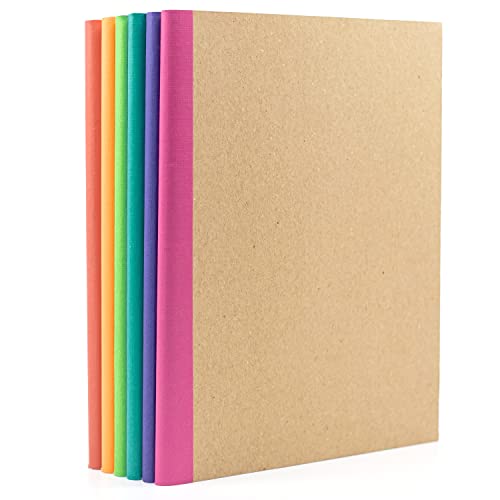
- Keep a notebook within reach to offload stray thoughts without opening a distracting app; a PAPERAGE Composition Notebook multipack costs little per book.
- Use a blank sketch pad like the Forvencer Hardcover Sketch Book for mind-mapping and quick diagrams.
- Reserve one notebook as a daily task list; crossing items off by hand is a proven motivation boost.
- Store pens and sticky notes in a small desk caddy so your surface stays clear.
Setting up a home office that actually helps you focus does not require a five-figure renovation or a wall of designer gear. The most productive remote setups are built on a handful of well-chosen basics: a supportive chair, a clear input setup, a little analog capture for ideas, and a layout that keeps distractions at bay. In 2026, you can assemble a genuinely effective workspace for a couple hundred dollars if you spend deliberately.
This guide walks through building a budget home office from the ground up, prioritizing the purchases that move the productivity needle most. Along the way we point to affordable staples like the NEO CHAIR Office Desk Chair with Ergonomic High Back Mesh Headrest and the HotFox Wireless Keyboard and Mouse Combo that punch well above their modest price tags.
Our top picks




As an Amazon Associate we earn from qualifying purchases at no extra cost to you. Ratings are shown as listed on Amazon.
⚡ Save on Your Next PC — Amazon Prime
Prime members get fast free shipping on the systems above, plus early access to Prime Day & Black Friday PC deals. New members get a 30-day free trial.
Watch: How to Set Up a Productive Home Office on a Budget — Video Review
Start With the Chair, Not the Desk
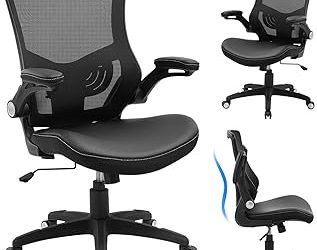
If your budget only stretches to one quality item, make it the chair. You can work productively at almost any stable surface, but you cannot concentrate through back pain. An ergonomic mesh chair with a headrest, like the NEO CHAIR at around $70, supports good posture and stays cool, and it costs a fraction of a premium task chair. Get the seat right first, then build the rest of the office around it.
Sort Out Input and Ergonomics
A comfortable, low-cost keyboard and mouse setup pays daily dividends. The HotFox Wireless Keyboard and Mouse Combo around $37 clears cable clutter and adds a retro typewriter feel, while a simple wireless mouse such as the HP X3000 G2 near $15 delivers reliable tracking and a 15-month battery for pocket change. Wireless peripherals also let you slide the keyboard aside when you need desk space for other tasks.
Add Analog Capture for Focus
- Keep a notebook within reach to offload stray thoughts without opening a distracting app; a PAPERAGE Composition Notebook multipack costs little per book.
- Use a blank sketch pad like the Forvencer Hardcover Sketch Book for mind-mapping and quick diagrams.
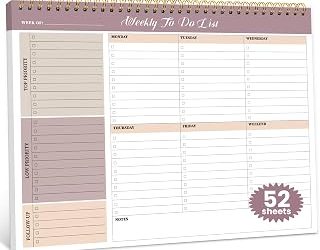
- Reserve one notebook as a daily task list; crossing items off by hand is a proven motivation boost.
- Store pens and sticky notes in a small desk caddy so your surface stays clear.
Optimize the Layout and Lighting
Position your desk so your monitor sits perpendicular to a window, not facing or backing it, to cut glare without silhouetting your face on calls. Keep your screen an arm’s length away with the top edge at eye level, stacking books under the monitor if you lack a stand. Face the desk toward a wall or corner rather than the door to reduce visual distraction. Good natural light plus one affordable task lamp is all most budget offices need.
Tips
- Buy the chair new but consider secondhand for the desk; a solid used table saves the most money with the least downside.
- Batch your notebook and pen purchases in multipacks to cut per-unit cost.
- Use free cable ties or bread-bag clips to tidy wires before spending on management gear.
- Add a single plant or framed print; a small touch of personality measurably lifts focus and mood.
Frequently Asked Questions
What should I spend the most on in a budget home office?
The chair. It has the biggest impact on your comfort and ability to focus for long stretches, and pain from a bad chair undermines every other productivity gain.
Do I really need a separate keyboard and mouse for a laptop?
Yes, if you work long hours. External peripherals let you raise the laptop screen to eye level while keeping your hands at a comfortable typing height, which prevents neck and wrist strain.
Are paper notebooks worth it when I have apps?
For many people, yes. Writing tasks and ideas by hand avoids opening a distracting device and reinforces memory, which is why a cheap notebook remains a productivity staple.
How can I reduce screen glare cheaply?
Place your monitor perpendicular to the window and angle it away from direct light. A matte screen and a simple, positionable task lamp finish the job without special equipment.
Conclusion
A productive home office is about smart priorities, not big spending. Put your money into a supportive chair first, add an affordable wireless keyboard-and-mouse combo, keep a notebook for analog capture, and arrange the room to minimize glare and distraction. Do that and you will have a workspace that rivals setups costing many times more.