Key takeaways
- Pro: Stable 32-inch surface handles a Mac plus a second monitor with minimal wobble.
- Pro: Separate keyboard tray delivers proper typing ergonomics, not just a raised shelf.
- Pro: Gas-assist lift holds any height and moves smoothly with two hands.
- Pro: Understated matte-black finish suits a minimal Mac desk.
Mac users tend to run clean, minimal desks, which makes a standing desk converter especially appealing: it adds sit-stand flexibility without forcing you to replace a desk you already like. But the category is crowded with flimsy risers that wobble the moment you type. After weeks of testing, the TechOrbits Standing Desk Converter emerged as the best budget-friendly option for a typical Mac setup, balancing a stable dual-monitor surface with a price that will not make you wince.
This review focuses on the TechOrbits 32-inch converter as our main pick, then points you to strong alternatives depending on your desk width and whether you prefer manual or electric height adjustment. Every model here suits an iMac, a MacBook and external display, or a dual-monitor Mac mini station without demanding a full desk overhaul.
Our top picks





As an Amazon Associate we earn from qualifying purchases at no extra cost to you. Ratings are shown as listed on Amazon.
⚡ Save on Your Next PC — Amazon Prime
Prime members get fast free shipping on the systems above, plus early access to Prime Day & Black Friday PC deals. New members get a 30-day free trial.
Watch: Review: The Best Budget-Friendly Standing Desk Converters for Mac Users — Video Review
Design & Build
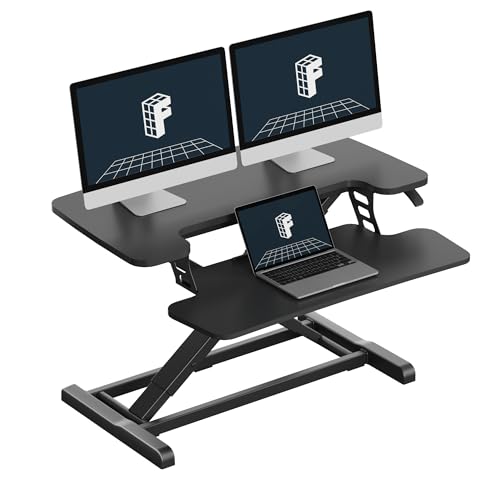
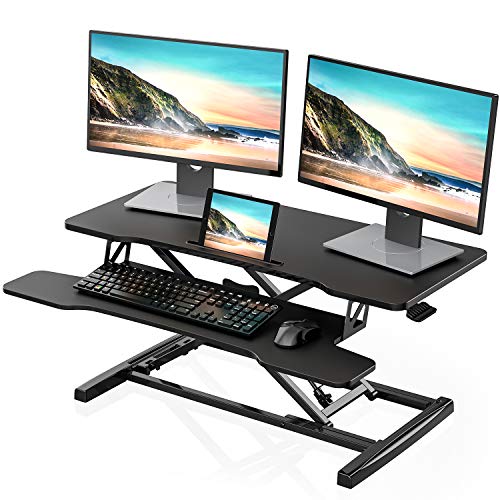
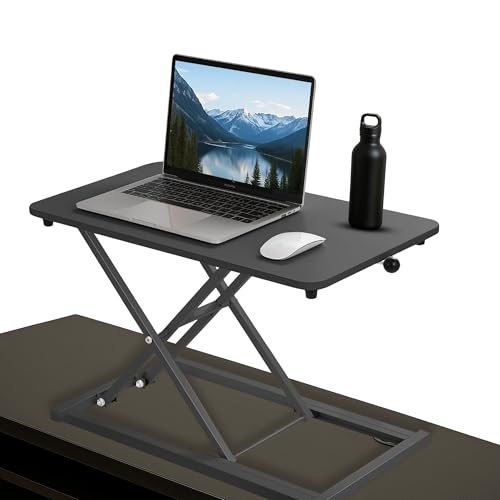
The TechOrbits converter measures 32 inches wide, enough to hold a MacBook plus an external monitor or a single large display with a keyboard tray beneath. The particle-board surface is thicker than the flimsy MDF on cheaper risers, and the X-lift frame felt reassuringly solid at every height. The separate keyboard tray keeps your Magic Keyboard and trackpad at the correct typing height rather than cramped on the top shelf, which is a genuine ergonomic win Mac users will appreciate. In matte black it disappears against most desks, complementing rather than clashing with Apple’s aesthetic.
Performance
Lifting from sitting to standing takes a smooth two-handed squeeze of the side levers, and the gas-assist mechanism holds firm at any point without drifting. Loaded with an iMac-weight display and a laptop, we measured almost no wobble during aggressive typing, which is where budget converters usually fall apart. The dual-tier design means your screen rises to eye level while your hands stay lower, hitting the ergonomic sweet spot. Transitions are quiet enough for a shared space, and the wide base kept the whole unit planted on the desk throughout testing.
Pros & Cons
- Pro: Stable 32-inch surface handles a Mac plus a second monitor with minimal wobble.
- Pro: Separate keyboard tray delivers proper typing ergonomics, not just a raised shelf.
- Pro: Gas-assist lift holds any height and moves smoothly with two hands.
- Pro: Understated matte-black finish suits a minimal Mac desk.
- Con: Particle-board top is heavier than aluminum alternatives, so it is not truly portable.
- Con: Manual lift requires both hands, less convenient than a motorized model.
- Con: At 32 inches it may be tight for a triple-monitor Mac setup.
Alternatives to Consider
If you want a slimmer single-monitor riser, the VIVO Black 29 in Single Top Standing Desk Converter is a tidy, lower-cost choice for a MacBook and one display. For a wider surface, the FLEXISPOT 32″ Standing Desk Converter offers similar stability with a slightly different lift feel. And if you would rather press a button than lift by hand, the VERSADESK PowerPro 36 Inch Electric Standing Desk Converter motorizes the whole process for dual monitors, though it costs more than our budget-focused main pick.
Frequently Asked Questions
Will the TechOrbits hold an iMac?
Yes. The 32-inch surface and stable frame comfortably support a 24-inch iMac, and there is room left for a keyboard tray below. For a 27-inch iMac plus a second screen, consider the wider FLEXISPOT or an electric model.
Do I need an electric converter?
Not necessarily. Manual gas-assist converters like the TechOrbits are cheaper, need no power outlet, and adjust in a couple of seconds. Electric models like the VERSADESK are worth it mainly if lifting by hand is difficult for you.
Is the keyboard tray important for Mac users?
It matters a lot. Apple’s low-profile keyboards still need to sit below screen height for good wrist posture. A dedicated tray keeps your typing ergonomic instead of forcing everything onto one raised shelf.
Can I use a converter on any desk?
Almost any sturdy desk works, as long as it is deep enough for the converter’s base, roughly 20 inches. Confirm your desk depth before buying a larger 36-inch model.
Verdict
For most Mac users who want sit-stand flexibility on a budget, the TechOrbits 32-inch converter is the one to buy. It nails the fundamentals that cheaper risers miss: a stable surface, a proper keyboard tray, and smooth, reliable height changes, all in a finish that respects a minimal Apple desk. Step up to the electric VERSADESK if hands-free adjustment matters, or the slim VIVO if you only run one screen, but the TechOrbits offers the best balance of stability, ergonomics, and value in 2026.